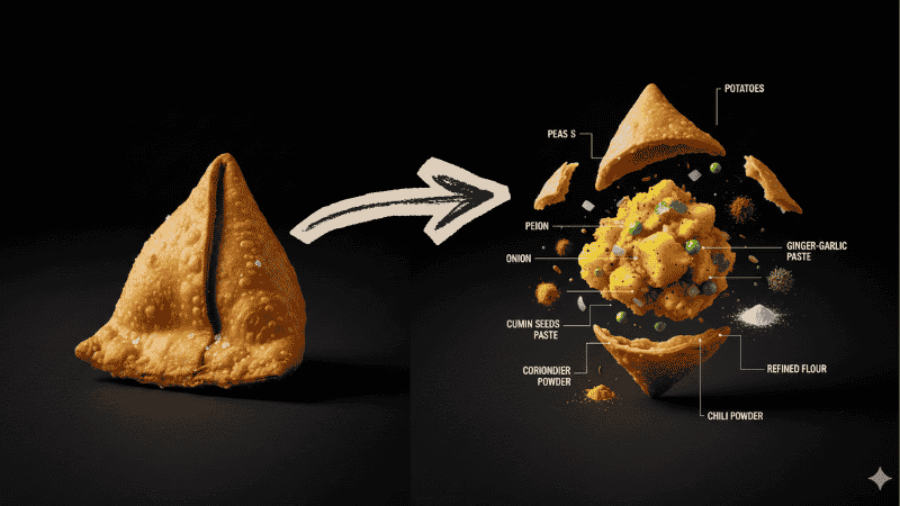
Create A Single Photoshoot Of "[PRODUCT NAME]", vertical 9:16. Pure [COLOR NAME] background. No table, no plate, no stands, no extra props.
Step 2 : Create a second food image
In same chat window on → Paste second image prompt → Submit → Download second image
Prompt:
Now create with proper label names of each ingredient, vertical 9:16. Pure [COLOR NAME] background. No table, no plate, no stands, no extra props. A clean "exploded view"
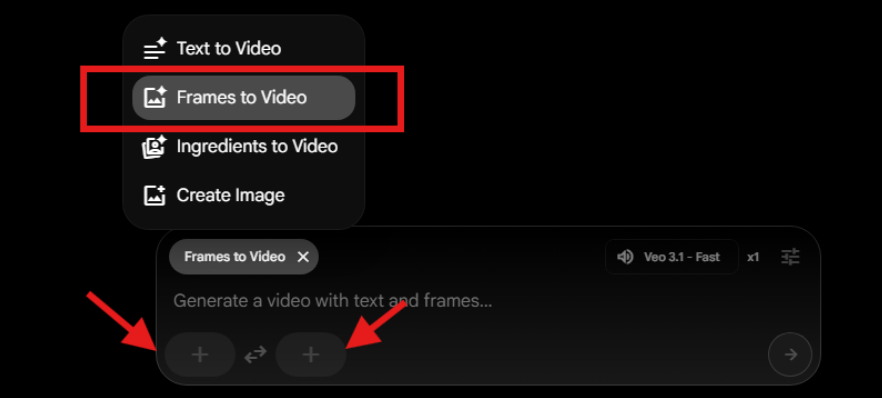
Apply final video prompt → Submit → Download the video
Prompt:
Vertical 9:16 frame. Camera fully locked with zero movement. A deep, pitch-black background fills the scene. At the opening moment, a fully assembled hero product sits perfectly centered. With an ultra-smooth and almost imperceptible motion, the subject begins to evolve, creating a premium, cinematic reveal while maintaining a clean, minimalist aesthetic. Lighting remains controlled and dramatic, keeping full focus on the product silhouette and details.
Chyaila helps you discover the best AI tools without getting lost in the AI chaos. We cut through the noise and highlight tools that actually get things done. Think of it as your shortcut to smarter AI.